What’s New?
- Added support for “Ad Campaigns – LinkedIn”in Account Snapshots.
- Accounts can now create and load snapshots including LinkedIn campaign structuresacross accounts.
- LinkedIn campaigns follow full hierarchy preservation: Campaign Group > Campaign > Ad
- LinkedIn asset now appears in: Create Snapshotmodal (with selected/total count format) and load Snapshot – Step 2 (Select Assets to Push)
- If LinkedIn is not connected in the destination account, campaigns are imported as Draft(no blocking).
- Conflict detection and overwrite behavior fully aligned with existing Google/Meta snapshot logic.
How It Works:
Navigate to
Account View > Account Snapshots > Create New Snapshot
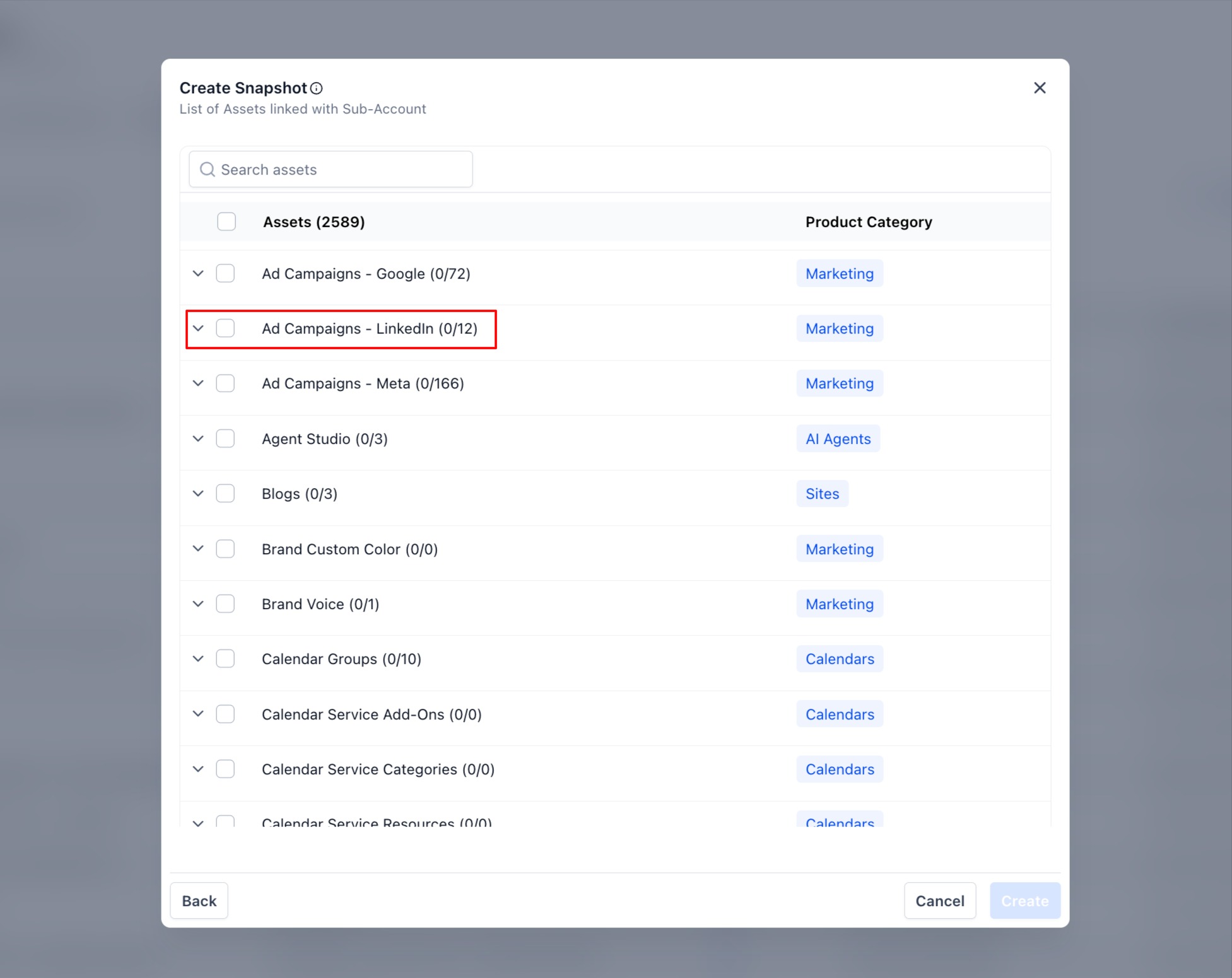
- Expand “Ad Campaigns – LinkedIn”under Marketing assets.
- Select specific campaigns or choose all (count shown as Selected/Total).
- Save the snapshot and the LinkedIn hierarchy is preserved in payload.
To Load:
- Go to the specific Accountwhere you want to have these campaigns >Load SnapshotfromActions
- In Step 2, select LinkedIn Ad Campaignsto push.
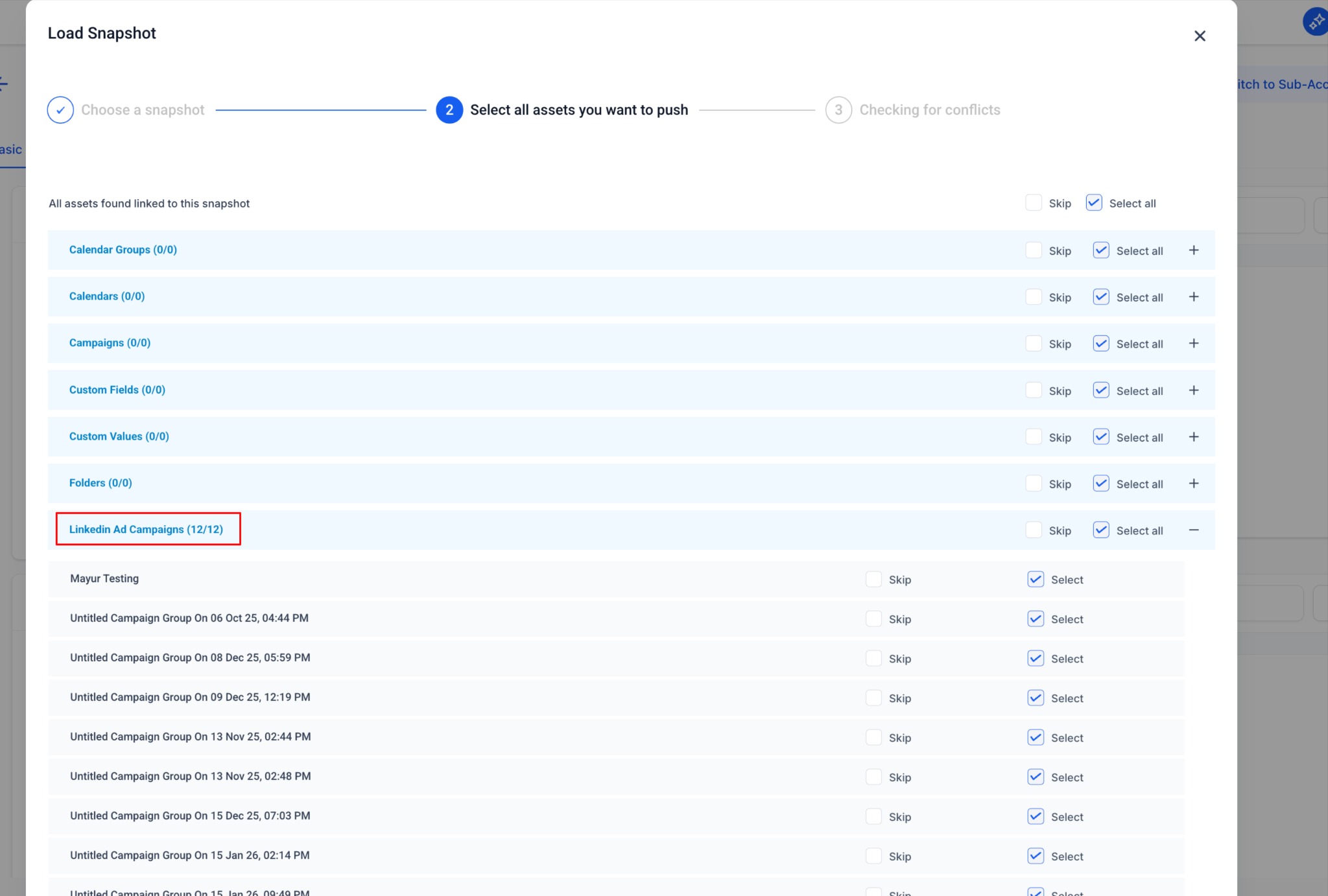
- System performs standard conflict check (Step 3) and the imported campaigns are created as Draftin destination.
Why It Matters:
- Enables accounts to replicate LinkedIn campaign setupsinstantly across client accounts.
- Eliminates manual recreation of campaign groups, campaigns and ads.
- Maintains platform parity with existing Google & Meta snapshot capabilities for Ad Manager.
- Scales multi-client LinkedIn operations efficiently for accounts.
Notes:
- Imported campaigns are always created in Draft state.
- Lead Gen Forms are intentionally excluded (LinkedIn account-specific limitation).
- Snapshot logic reuses existing conflict and overwrite behavior, no new overwrite modes introduced.
- Reporting data, billing history, and ad account credentials are not transferred.
Was this article helpful?
That’s Great!
Thank you for your feedback
Sorry! We couldn't be helpful
Thank you for your feedback
Feedback sent
We appreciate your effort and will try to fix the article